
 Download
Transform text into images; instantly convert photos and videos into cartoons, paintings, and various art styles.
Produce your own cartoon animations and digital artwork in seconds. No prior experience needed.
Powered by cutting-edge artificial intelligence, aiTransformer excels at speech synthesis and generating images or videos from text. It can cartoonize, enhance, and filter your media; remove or swap backgrounds in pictures and videos; enlarge photos; and turn any image into a sketch or different painting style—all in near real-time.
Core Features:
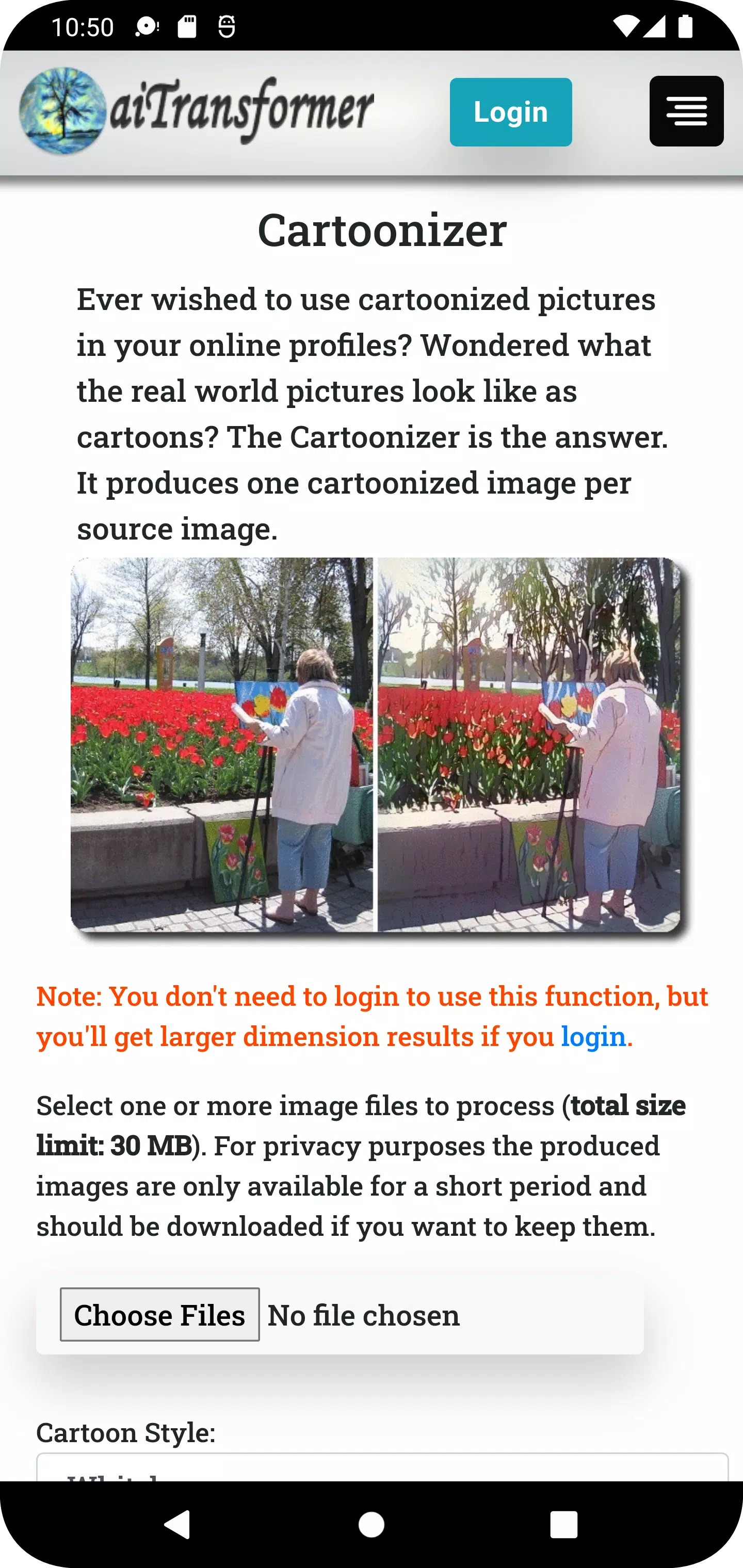
1. Cartoonizer: Convert your photos into charming, unique cartoons featuring diverse styles like Whitebox, Hayao, and Celeba Distill.
2. Video Cartoonizer: Bring your home videos to life as animated movies. The original audio is preserved, offering a fresh take on your favorite memories.
3. Background Editor: Effortlessly remove and replace the background in any image. Fine-tune transparency and perfectly position your subject.
4. Video Background Editor: Remove or change the background in video clips. Add an image or another video as the new backdrop while keeping the original audio.
5. Sketcher: Transform any photo into hand-drawn sketches available in multiple artistic styles.
6. Enhancer: Achieve clearer, sharper, and more professional-looking photos with enhancement options like AI Overall Enhance and Face Restoration.
7. Video Enhancer: Boost the sharpness and color vibrancy of your videos without altering the original sound.
8. Enlarger: Upscale your images by up to 800% while minimizing quality loss and distortion.
9. Filter: Add personality to your photos with a collection of over 50 filters, including Sepia, Emboss, Pointillism, Duotone, and Colormap.
10. Video Filter: Apply creative visual effects to your videos, enhancing their appeal and giving them a distinctive look.
11. Stylizer: Turn your pictures into paintings using over 60 predefined styles inspired by famous artworks or any custom style you choose.
12. MultiStylizer: Combines multiple artistic styles based on different areas of your image, creating a unique, semantically-aware masterpiece.
13. Super Stylizer: Generate intricate, detailed images from text prompts with numerous variations, then use them to style your pictures.
14. Prompt Builder: Craft prompts intuitively using Image-to-Text and a library of 1000+ terms with sample images. You can also generate random prompts with one click from templates or our database.
15. Speech Synthesizer: Convert text to realistic human speech and create a video with an avatar delivering your words.
16. Storybook Maker: A fully automated generator that creates storytelling videos from simple inputs like a prompt, URL, or document.
17. Gallery: Explore a showcase of creations made with this app, updated regularly with new images.
18. Blog: Discover tips and tricks on how to use this app to work magic on ordinary pictures and videos.
Why Choose Us?
* Easy to Use: No image or video editing skills required—our AI has done the learning for you. Most tools are accessible without signing up. Simply select your media, upload, and download your results shortly after.
* Multifunctional: Need to enhance, enlarge, remove backgrounds, create cartoons or sketches, generate images from text, or apply artistic styles? Do it all here. You can even process entire videos or perform batch transformations in one go.
* Data Privacy: Your media files are streamed directly for processing. Results are temporarily saved for download. All uploaded or generated files are automatically deleted from our servers after 3 hours.
* Stylish Design: Utilize styles from renowned artworks or infinitely variable images generated by our text-to-image engine to turn ordinary pictures into extraordinary, unique creations.
Get aiTransformer today and easily harness the power of AI to transform your pictures and videos!
What's New in the Latest Version 2.8
Last updated on Apr 13, 2024
- Introduced a new Storybook Maker tool: A fully automated generator that creates storytelling videos from simple inputs like a prompt, URL, or document.
- Added a 'Recover Results' button for long-running functions (e.g., video tools). This helps retrieve results if they aren't displayed correctly due to network interruptions during processing.



![熊本のHairSalon YELLOW[ヘアサロンイエロー]](https://images.ydxad.com/uploads/78/173155007867355b7e469e0.webp)