 Download
Mixing Station: A Powerful and Customizable Mixing Application
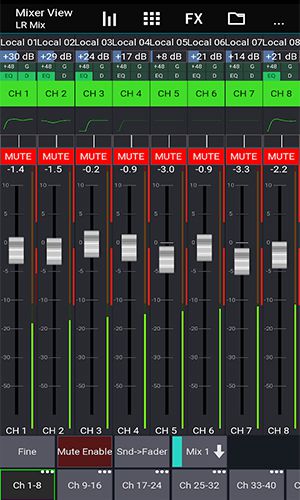
Mixing Station is a robust audio mixing application offering a highly customizable interface and a wide array of features designed for streamlined and intuitive mixing. This powerful tool caters to live sound engineers, studio producers, and musicians alike.
Key Features:
-
Fully Customizable UI: Create personalized layouts, layers, and channel orders for optimal workflow efficiency. Customize everything to fit your needs and preferences.
-
Unlimited DCA Groups (IDCAs): Effortlessly manage numerous channels simultaneously with unlimited DCA groups, crucial for rapid adjustments in live sound scenarios.
-
Comprehensive Customization: Tailor layers, layouts, channel order, and multi-group labels for precise organization and error reduction.
-
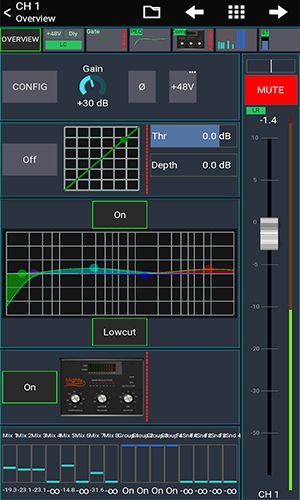
Real-time Analysis (RTA): The integrated RTA overlay in the PEQ/GEQ view simplifies identifying and correcting problematic frequencies.
-
Advanced Channel Control: Utilize channel linking and relative ganging for synchronized adjustments across multiple channels, maintaining consistent levels and parameters.
-
Detailed Monitoring: Gain reduction history for gate and dynamics processing offers precise control, while peak hold on all meters (with adjustable hold times) ensures accurate level monitoring.
-
Intuitive EQ Control: A PEQ preview function allows you to audition EQ settings before applying them to the channel, ensuring the desired sonic outcome.
-
Enhanced Visibility: High contrast mode optimizes screen visibility in bright outdoor conditions, minimizing eye strain.
-
Efficient Grouping: Pop groups enable instant muting/unmuting of channel groups with a single button press.
-
Flexible Routing: The integrated routing matrix facilitates complex signal routing between channels and buses, enabling sophisticated signal flow configurations.
-
High Channel Capacity: Support for up to 32 channels per layer provides ample capacity for diverse mixing scenarios.
-
Mix Duplication: The mix copy function allows for quick setup of new mixes by copying settings from existing ones.
-
Feedback Mitigation: Feedback detection simplifies the process of eliminating feedback from wedges and monitor speakers, ensuring a clear and balanced mix.
-
Mixer-Specific Features: Additional features become available depending on the connected mixer model, enhancing flexibility and control.
Conclusion:
Mixing Station's comprehensive feature set, including its fully customizable interface and advanced monitoring tools, significantly enhances the mixing workflow. It's a versatile and powerful application that empowers users to achieve efficient and intuitive audio mixing across various applications.




![熊本のHairSalon YELLOW[ヘアサロンイエロー]](https://images.ydxad.com/uploads/78/173155007867355b7e469e0.webp)