
Hyper Light Breaker: How To Play With Friends
Quick Links
Hyper Light Breaker, the highly anticipated sequel to the indie hit Hyper Light Drifter, significantly departs from its predecessor's formula. Trading 2D pixel art for a stunning 3D world (without sacrificing its unique visual style), it blends rogue-lite gameplay with extraction mechanics, and importantly, adds multiplayer.
Cooperative play is a core feature, making the challenging experience more manageable and rewarding with a fellow Breaker by your side. This guide details how to play with friends and how to utilize online matchmaking to join random public groups.
How To Play Hyper Light Breaker With Friends
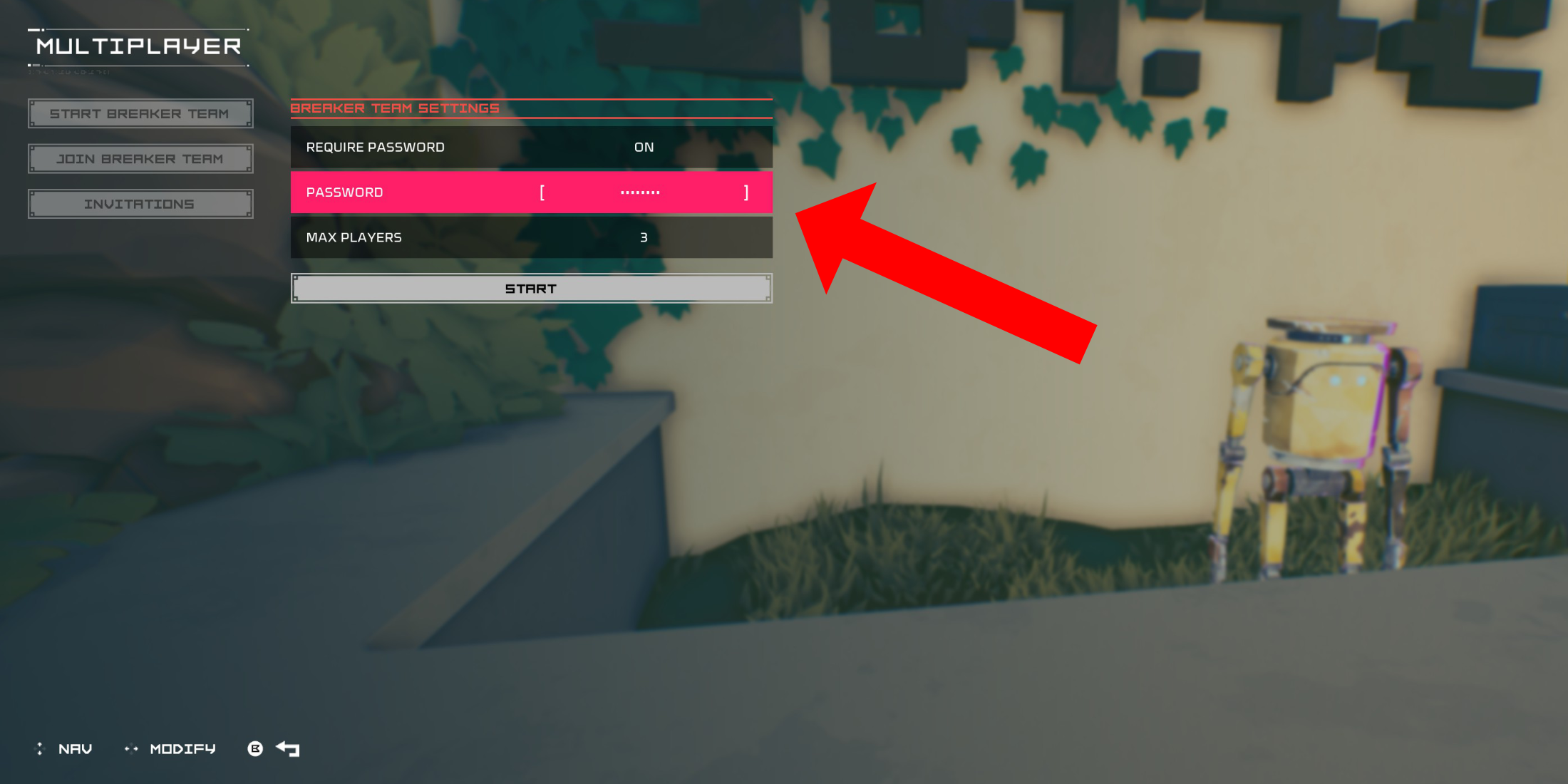 To play Hyper Light Breaker co-op, you'll need to create a private multiplayer room. Once you've spawned into the Cursed Outpost, the game's hub, approach the counter to the left of your commander, Pherus Bit.
Press the Interact button (usually R1 or RB) to access the Multiplayer menu. Here, you can create or join a Breaker Team and manage invitations. To play with friends, select "Create Breaker Team."
Enable "Password Required" and set a password. After creating your private team, invite up to two friends using your platform's social features (PSN, Xbox, and Steam are supported). The game supports groups of three.
If your friends are online, invitations will appear in the "Invitations" tab. Otherwise, they can join using the invitation link. Your team might also appear in the "Join Breaker Team" menu, allowing friends to find and join directly.
Once your friends accept the invitation (remember to share the password!), you're ready for co-op action.
Random Online Matchmaking In Hyper Light Breaker
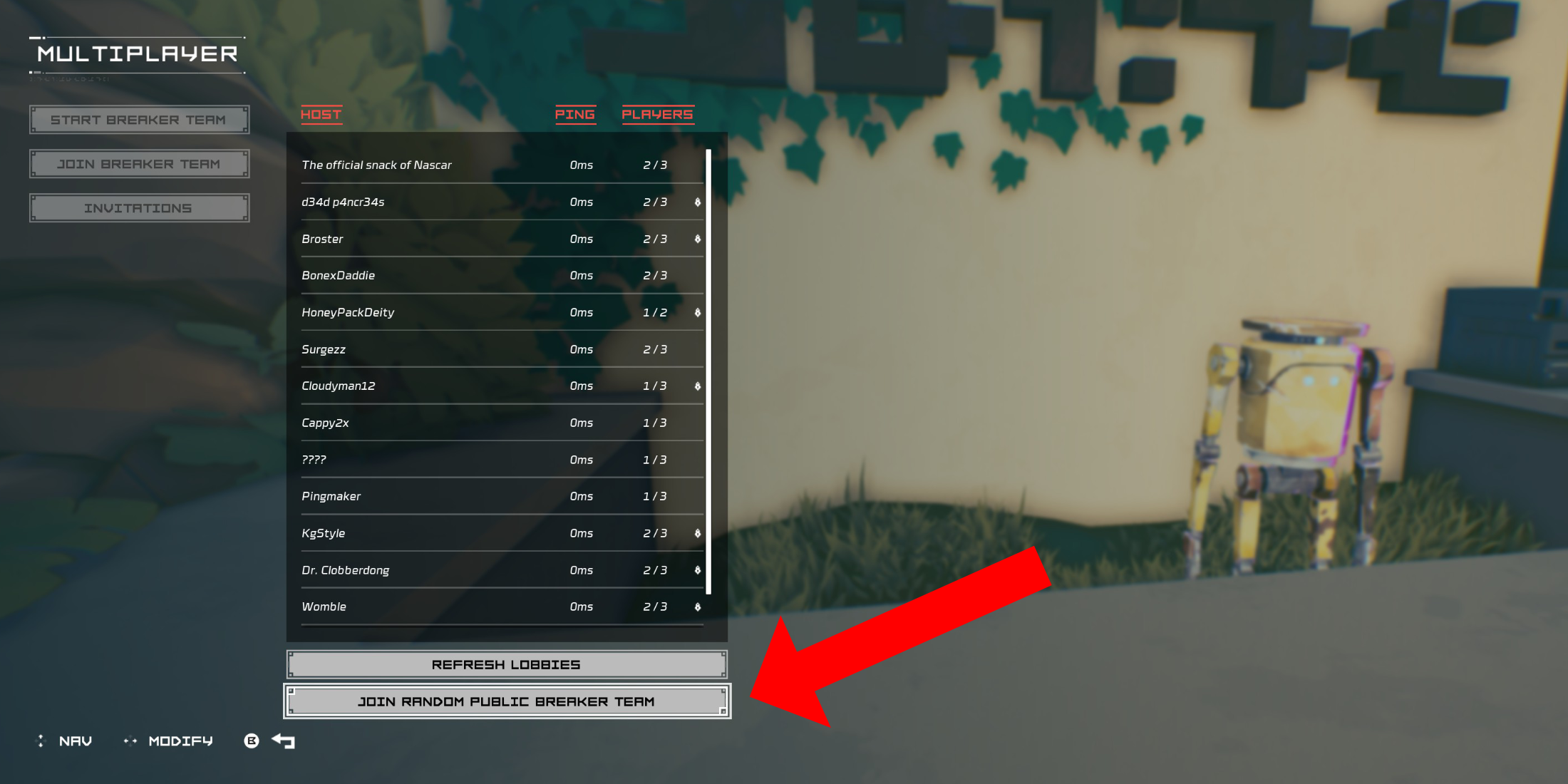 If you lack friends playing Hyper Light Breaker but still want to experience multiplayer, public groups are available. Create your own (without a password) or join a random one using matchmaking.
In the Cursed Outpost's Multiplayer menu, select "Join Breaker Team," then scroll to the bottom and choose "Join Random Public Breaker Team."
The game will automatically search for available public teams and assign you to one (if available). After a short load screen, you'll join the host's world.
To leave a multiplayer session, return to the counter in the Cursed Outpost, open the Multiplayer menu. A "Disconnect" option will appear; select it to return to your solo game. Alternatively, you can simply quit the game to end the session.
-
A new offline mode for Ubisoft’s The Crew 2 is available now, allowing owners to play the racing MMO without an internet connection if desired. The functionality—dubbed Hybrid Mode—has been fully detailed on the publisher’s website. According to UbisAuthor : Michael Mar 15,2026
-
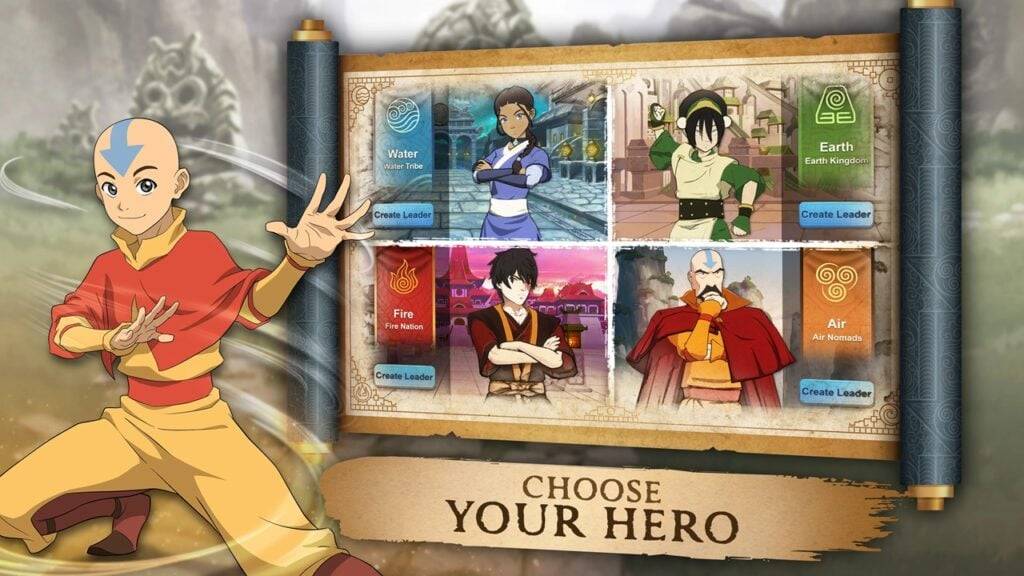 Avatar Legends: Realms Collide has officially launched on Android, offering a new 4X strategy experience within Nickelodeon's beloved Avatar universe. Developed by AN Games and published by Tilting Point, this title immerses you in a world of elementAuthor : Scarlett Mar 14,2026
-
 Word Game. Crossword Search PuDownload
 -
 Buckshot Roulette: PvP DuelDownload
 -
 4 Pics Association Word PuzzleDownload
 -
 Win68Download
 -
 Kitty LetterDownload
 -
 SwingShotDownload
 -
 The Seven Realms 3Download
 -
 Curse of the Night Stalker - Chapter 3 releaseDownload
 -
 My Home Design: My House GamesDownload
 -
 100+ RiddlesDownload











- Classic WoW vs. Turtle WoW: 6 Key Differences
- Ultimate Guide to Shinigami Progression in Hollow Era
- Roblox Simulator Codes: Unlock Exclusive Rewards!
- Mastering Two-Handed Weapons in Elden Ring: A Guide
- Wuthering Waves: Uncover the Secrets of Whisperwind Haven's Palette
- Top 25 Palworld Mods to Enhance Your Game