
R.E.P.O. Loading Screen Bug: Quick Fixes
In the world of spooky games, titles like *Resident Evil* and *Silent Hill* have set the bar high, but *R.E.P.O.* offers a unique co-op experience that many players are eager to dive into. However, some are encountering a frustrating issue where the game gets stuck on the loading screen. Here's how to tackle the *R.E.P.O.* loading screen bug and get back to the scares.
How to Fix R.E.P.O. Stuck on Loading Screen
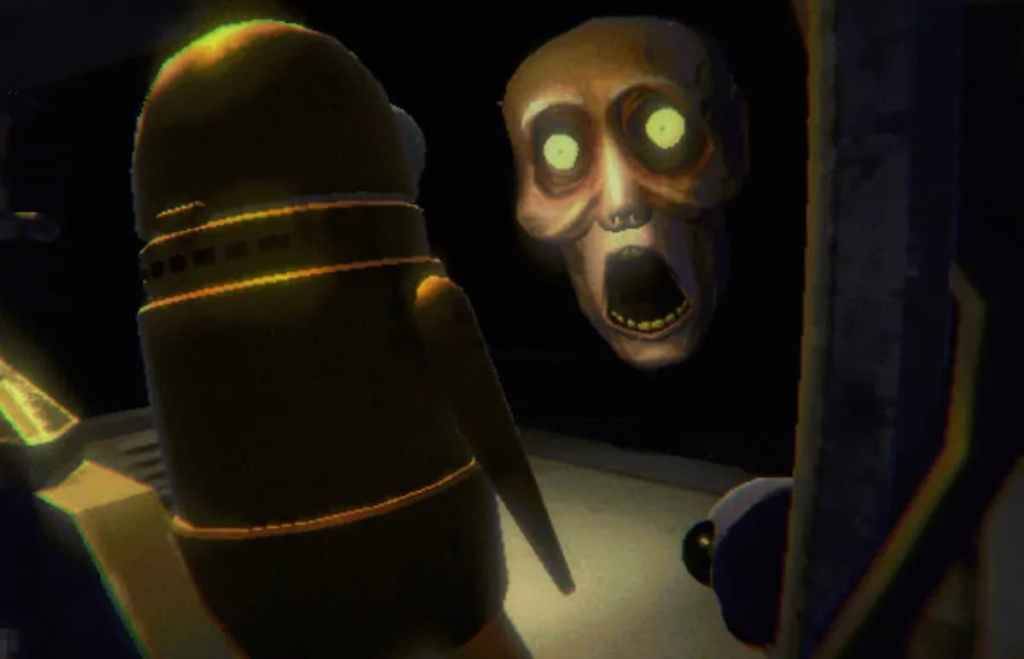
Players launching *R.E.P.O.* on PC might find themselves stuck at the loading screen, unable to progress into the game. While the developer, semiwork, has yet to address this issue officially, there are several methods players can try to resolve the problem.
Close and Reopen the Game
The simplest and often most effective solution is to close and reopen *R.E.P.O.*. This gives the game a chance to reset and fix any minor issues that might be causing the loading screen to hang. It's a quick and easy fix that works more often than you might think.
Reboot the PC
If restarting the game doesn't work, consider rebooting your PC. A fresh start can help clear any system-related issues that might be interfering with the game. Plus, it gives you a moment to take a break before jumping back into the chilling atmosphere of *R.E.P.O.*.
Related: What Energy Crystals Do in R.E.P.O. and How to Get More
Run R.E.P.O. as Administrator
Running *R.E.P.O.* with administrator privileges can sometimes resolve loading issues by allowing the game full access to your system's resources. Here's how to do it:
- Right-click on the R.E.P.O. shortcut.
- Select Properties, then navigate to the Compatibility tab.
- Check the box next to "Run this program as an administrator."
Verify Game Files
If the above methods don't work, you can verify the integrity of the game files through Steam. This process ensures that all necessary files are present and not corrupted. Follow these steps:
- Restart your PC and open Steam.
- Right-click on R.E.P.O. in your Steam Library or click the gear icon on its Library page.
- Select Properties from the drop-down menu.
- Go to the Installed Files tab and click on "Verify integrity of game files."
Remember, it's normal for some files not to verify, and you can safely ignore any related messages. This is part of Steam's standard process and doesn't necessarily indicate a problem.
With these troubleshooting steps, you should be able to resolve the *R.E.P.O.* stuck on loading screen bug and enjoy the full horror experience the game has to offer. For more on *R.E.P.O.*, check out our guide on all the monsters in the game and how to escape them.
*R.E.P.O. is available now on PC.*
-
Sony kicked off State of Play June 2025 with the surprise announcement of Lumines Arise, from Tetris Effect developer Tetsuya Mizuguchi. It’s due out fall 2025 for PlayStation 5 and PS VR2, with a demo arriving this summer. The debut trailer is belowAuthor : Stella Mar 08,2026
-
Palworld developer Pocketpair recently confirmed that key gameplay alterations in recent updates were directly influenced by Nintendo and The Pokémon Company's ongoing patent lawsuit. Launched in early 2024 at $30 on Steam and included in Game PassAuthor : Lily Mar 08,2026
-
 SwingShotDownload
 -
 The Seven Realms 3Download
 -
 Curse of the Night Stalker - Chapter 3 releaseDownload
 -
 My Home Design: My House GamesDownload
 -
 100+ RiddlesDownload
 -
 Elite PokerDownload
 -
 Sinful Summer: A Tale of ForbiddenDownload
 -
 Monster Girl 1000Download
 -
 1-19 Number GameDownload
 -
 Monster Arena by Erma SharpeDownload











- HoYo Fest 2025: Fresh Updates on Comeback
- Mastering Two-Handed Weapons in Elden Ring: A Guide
- Roblox Simulator Codes: Unlock Exclusive Rewards!
- Ultimate Guide to Shinigami Progression in Hollow Era
- Wuthering Waves: Uncover the Secrets of Whisperwind Haven's Palette
- Top 25 Palworld Mods to Enhance Your Game