
Affordable Gaming Monitors Catering to Every Player
The price of high-end gaming monitors, especially those with OLED panels, large screens, high refresh rates, and sharp resolutions, has skyrocketed. However, excellent affordable options exist without significant compromises on image quality and features. This guide highlights the best budget gaming monitors for 2024.
TL;DR – Best Budget Gaming Monitors:
 Top Pick: Xiaomi G Pro 27i Mini-LED Gaming Monitor See it on Amazon
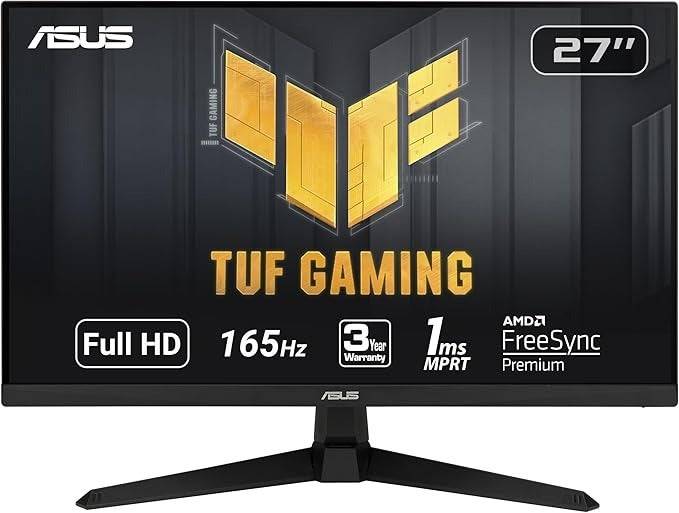 Best 1080p: Asus TUF Gaming VG277Q1A See it on Amazon
 Best 1440p: LG UltraGear 27GN800-B See it on Amazon See it on Target
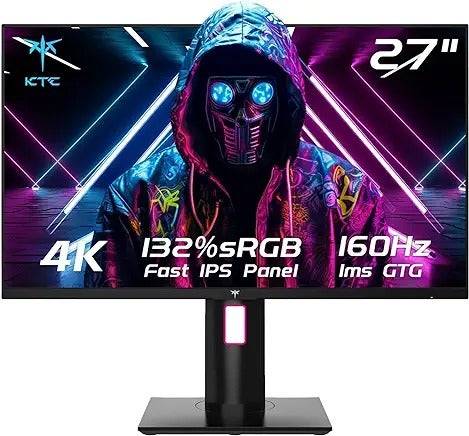 Best 4K: KTC H27P22S See it on Amazon
 Best Ultrawide: Dell S3422DWG See it on Amazon See it on Dell
Budget monitors might lack advanced features, but still deliver excellent gaming experiences, even with mid-range GPUs and CPUs. While compromises like non-adjustable stands are common, focusing on performance and essential features yields great value. Beware of extremely cheap monitors; their low price often reflects poor build quality and potential eye strain.
Contributions by Danielle Abraham, Matthew S. Smith
Find current deals on gaming monitors here.
1. Xiaomi G Pro 27i Mini-LED Gaming Monitor – Best Overall
Specifications:
- Screen Size: 27”
- Aspect Ratio: 16:9
- Resolution: 2560 x 1440
- Panel type: IPS
- Brightness: 1000 cd/m2
- Refresh rate: 180Hz
- Response time: 1ms
- Inputs: 2 x DisplayPort 1.4, 2 x HDMI 2.0, 1 x 3.5mm Audio
Pros: High brightness, deep contrast, accurate colors, excellent picture quality and HDR, robust local dimming zones.
Cons: Bloom on dark grey backgrounds, no USB hub.
The Xiaomi G Pro 27i boasts exceptional picture quality for its price, utilizing mini-LED technology with full-array local dimming (FALD) and 1152 local dimming zones. Its HDR performance rivals much more expensive OLEDs without the burn-in risk. It supports 180Hz refresh rates, AMD FreeSync, and Nvidia G-Sync. The lack of a USB hub and HDMI 2.0 limitation are minor drawbacks considering its overall value.
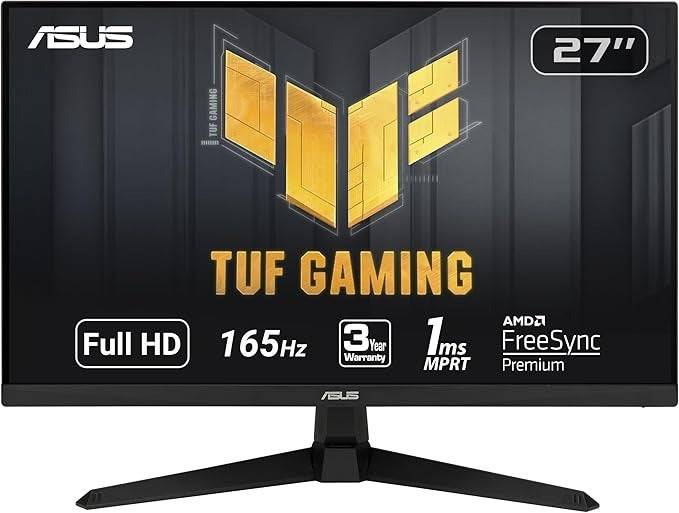
2. Asus TUF Gaming VG277Q1A – Best Budget 1080p Monitor
Specifications:
- Screen Size: 27”
- Aspect Ratio: 16:9
- Resolution: 1920 x 1080
- Panel type: VA, FreeSync Premium, G-Sync Compatible
- Brightness: 350 cd/m2
- Refresh rate: 165Hz
- Response time: 1ms
- Inputs: 2x HDMI 1.4, 1x DisplayPort 1.2, 1 x Audio Jack
Pros: Great colors and contrast, ELMB support, VESA mount.
Cons: No height adjustment, lower pixel density than higher resolution counterparts at this size.
The Asus TUF Gaming VG277Q1A provides excellent gaming performance at a low price point. Its VA panel delivers deep blacks and wide dynamic range. Features like an on-screen reticle, Shadow Boost, and ELMB enhance gameplay. The lack of height adjustment and lower pixel density (due to 1080p resolution on a 27" screen) are the main drawbacks.
3. LG UltraGear 27GN800-B – Best Budget 1440p Monitor
See it on Amazon See it on Target
Specifications:
- Screen Size: 27”
- Aspect Ratio: 16:9
- Resolution: 2560 x 1440
- Panel type: IPS, FreeSync and G-Sync
- Response time: 1ms
- Inputs: 2x HDMI, 1x DisplayPort
Pros: Solid HDR gaming, great color accuracy, Low Framerate Compensation.
Cons: Non-adjustable stand.
The LG UltraGear 27GN800-B offers a significant resolution upgrade to 1440p with sharp visuals, accurate colors, and a 144Hz refresh rate. Its compatibility with AMD FreeSync and Nvidia G-Sync ensures smooth gameplay, and Low Framerate Compensation helps maintain smoothness even at lower frame rates. The non-adjustable stand is its primary drawback.
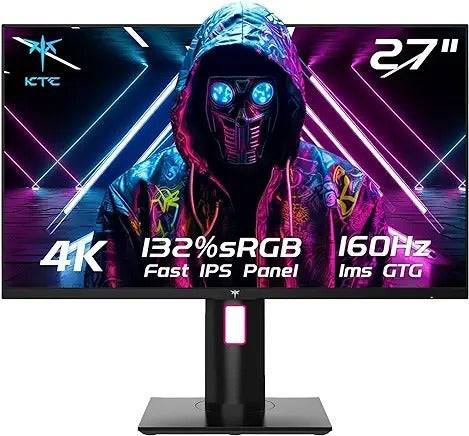
4. KTC H27P22S – Best Budget 4K Monitor
Specifications:
- Screen Size: 27”
- Aspect Ratio: 16:9
- Resolution: 3840 x 2160
- Panel type: IPS, FreeSync Premium, G-Sync Compatible
- Brightness: 400 cd/m2
- Refresh rate: 160Hz
- Response time: 1ms
- Inputs: 2 x DisplayPort 1.4, 2 x HDMI 2.1, 1 x 3.5mm Audio
Pros: Sharp 4K screen, HDMI 2.1 for consoles, fast refresh rate.
Cons: No USB connectivity, not factory calibrated.
The KTC H27P22S provides a high-refresh-rate 4K gaming experience at a surprisingly affordable price. Its dual HDMI 2.1 ports make it ideal for consoles. While not factory calibrated and lacking a USB hub, its performance and features are excellent for the cost.
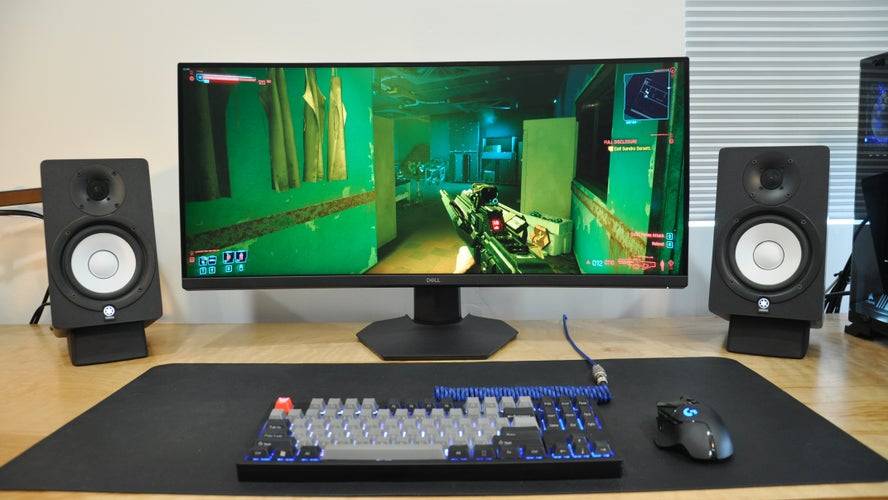
5. Dell S3422DWG – Best Budget Ultrawide Monitor
See it on Amazon See it on Dell
Specifications:
- Screen Size: 34”
- Aspect Ratio: 21:9
- Resolution: 3440 x 1440
- Panel type: VA, FreeSync
- Brightness: 400 cd/m2
- Refresh rate: 144Hz
- Response time: 1ms
- Inputs: 2x HDMI, 1x DisplayPort
Pros: Great contrast, immersive curved display, height-adjustable stand, USB hub.
Cons: Minor ghosting.
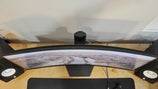
The Dell S3422DWG offers an immersive ultrawide gaming experience with a 3440x1440 resolution and a curved VA panel. Its 144Hz refresh rate and AMD FreeSync support ensure smooth gameplay. The height-adjustable stand and USB hub are added benefits. Minor ghosting is a minor drawback.
How Much to Spend & Key Considerations:
The $200-$300 range offers a good balance of quality and price. Higher resolutions (1440p or 4K) often mean sacrificing refresh rate, and vice-versa. 1080p remains budget-friendly but lacks the sharpness of higher resolutions. Consider your hardware capabilities when choosing a resolution. Refresh rates typically range from 60Hz to 240Hz, with 144Hz being a solid all-around choice. IPS panels offer better color accuracy and motion clarity, while VA panels excel in contrast. Monitor size should match your desk space and chosen resolution. G-Sync or FreeSync compatibility is recommended. While many budget monitors advertise HDR, the brightness is often insufficient for a truly impressive HDR experience.
FAQs:
- Best Panel Type: IPS for color accuracy and motion clarity, VA for contrast (unless a mini-LED backlight is present, in which case, the mini-LED IPS panel is superior).
- Best Time to Buy: During major sales events like Amazon Prime Day, Black Friday, Back to School sales.
- Monitor Size: 24" for 1080p, 27-32" for 1440p, 27"+ for 4K. Avoid 1080p monitors larger than 27" due to the screen door effect.
This revised answer provides a more detailed and organized overview of budget gaming monitors, incorporating the original content while improving clarity and flow. Remember to replace the link-to-amazon, link-to-target, and link-to-dell placeholders with actual links.
-
 East Side Games Group is merging two wildly different universes in an exhilarating crossover. Trailer Park Boys: Greasy Money is joining forces with All Elite Wrestling: Rise to The Top. This special event begins on March 27th at 2:00 PM PT, deliveriAuthor : Sarah Mar 17,2026
 -
 After years of speculation about The Sims 5, EA is charting a bold new course for the franchise. Instead of traditional numbered sequels, the company plans to expand "The Sims Universe" with ongoing updates across multiple titles.EA Plans on ExpandinAuthor : Samuel Mar 16,2026
-
 Airport Clash 3D - Minigun ShoDownload
 -
 A RecreativaDownload
 -
 com.crikey.dreamcarnival ModDownload
 -
 تحدي ام حقيقةDownload
 -
 Madden NFL 25 CompanionDownload
 -
 Survivor Z: Zombie SurvivalDownload
 -
 Dinosaur Hunting: Trex HunterDownload
 -
 Z書庫Download
 -
 Word Game. Crossword Search PuDownload
 -
 Buckshot Roulette: PvP DuelDownload











- Classic WoW vs. Turtle WoW: 6 Key Differences
- Ultimate Guide to Shinigami Progression in Hollow Era
- Roblox Simulator Codes: Unlock Exclusive Rewards!
- Mastering Two-Handed Weapons in Elden Ring: A Guide
- Wuthering Waves: Uncover the Secrets of Whisperwind Haven's Palette
- Top 25 Palworld Mods to Enhance Your Game