
How to Play Pokémon TCG Pocket on PC or Mac with BlueStacks
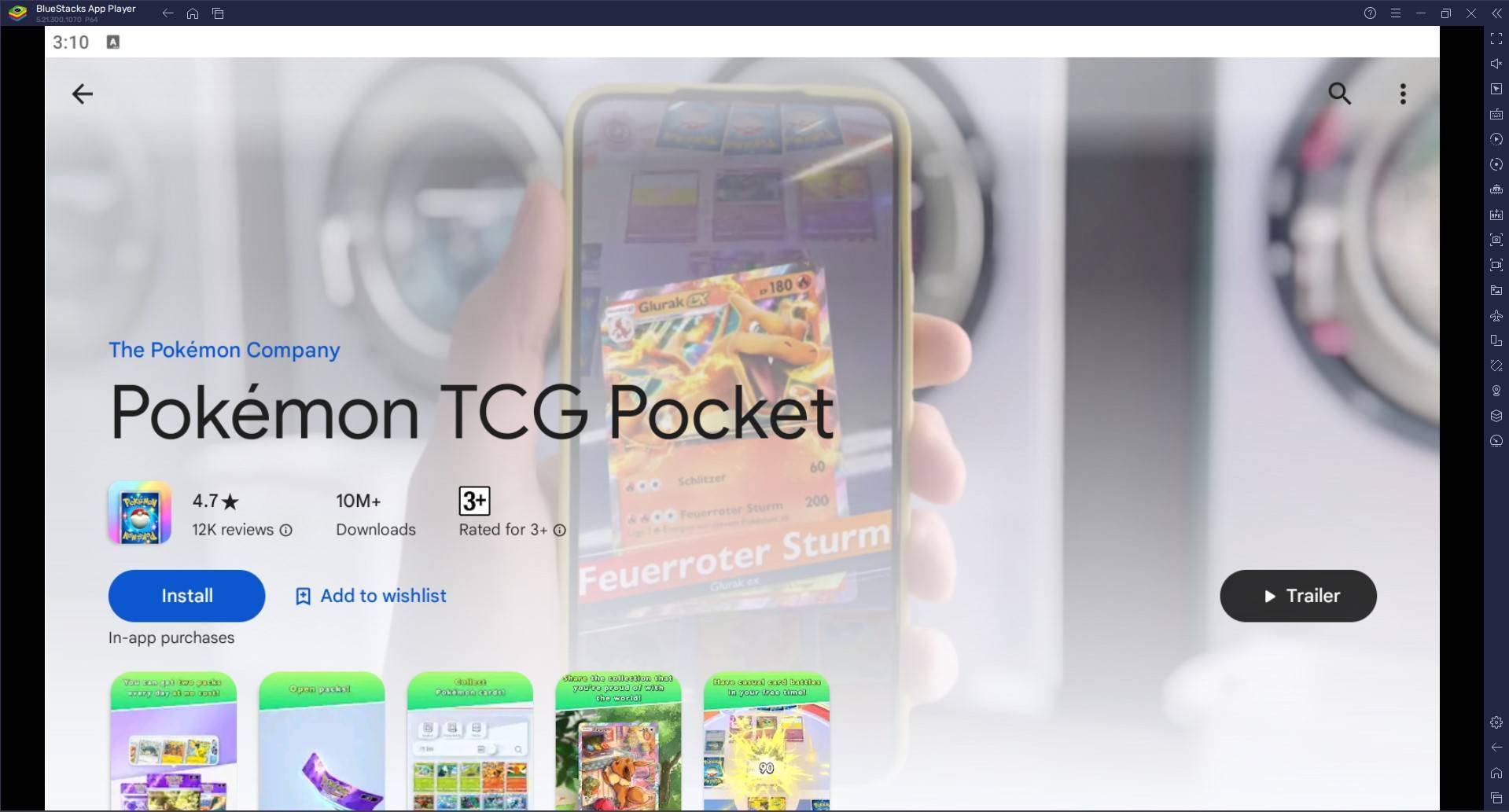
Experience the Pokémon Trading Card Game like never before with Pokémon TCG Pocket! This comprehensive guide shows you how to play on your PC or Mac using BlueStacks.
Collect diverse Pokémon cards, craft custom decks, and engage in strategic battles against AI or other players. The game faithfully recreates the thrill of the original card game, enhanced with exciting new features.
Deck Customization and Progression:
Fine-tune your deck with the optimal blend of Pokémon, Energy, and Trainer cards to match your strategy. Uncover new Pokémon cards, including rare and powerful additions, by opening booster packs. Daily login rewards bolster your collection and strengthen your deck.
Playing Pokémon TCG Pocket on PC/Mac with BlueStacks:
Method 1: New BlueStacks Users
- Game Page: Navigate to the game page and select "Play Pokémon TCG Pocket on PC."
- BlueStacks Installation: Download and launch BlueStacks. For Mac users, consider BlueStacks Air, optimized for Apple Silicon.
- Google Play Store: Sign in to your Google Play Store account.
- Game Installation: Install Pokémon TCG Pocket.
- Gameplay: Begin your Pokémon TCG Pocket adventure!
Method 2: Existing BlueStacks Users
- BlueStacks Launch: Open BlueStacks on your PC or Mac.
- Game Search: Search for "Pokémon TCG Pocket" in the BlueStacks search bar.
- Installation: Select the game and install it.
- Gameplay: Start playing!
Method 3: Installing BlueStacks Air on Mac
- Download: Visit the official BlueStacks website and download BlueStacks Air.
- Installation: Open the downloaded .dmg file and drag the BlueStacks icon to your Applications folder.
- Launch and Sign-in: Launch BlueStacks Air, sign in with your Google account, and install Pokémon TCG Pocket from the Play Store.
Minimum System Requirements:
- OS: Windows 7 or higher, macOS 11 (Big Sur) or higher.
- Processor: Intel, AMD, or Apple Silicon processor.
- RAM: 4GB minimum.
- Storage: 10GB free disk space.
- Permissions: Administrator access.
- Graphics Drivers: Updated graphics drivers.
Tips for Success:
- Regularly open booster packs to expand your card collection.
- Experiment with different card combinations to discover optimal deck strategies.
- Analyze your battles to learn from both victories and defeats, refining your approach accordingly.
Enjoy the ultimate Pokémon TCG Pocket experience on your PC or Mac with BlueStacks! For more details, visit the Pokémon TCG Pocket Google Play Store page.
-
 East Side Games Group is merging two wildly different universes in an exhilarating crossover. Trailer Park Boys: Greasy Money is joining forces with All Elite Wrestling: Rise to The Top. This special event begins on March 27th at 2:00 PM PT, deliveriAuthor : Sarah Mar 17,2026
 -
 After years of speculation about The Sims 5, EA is charting a bold new course for the franchise. Instead of traditional numbered sequels, the company plans to expand "The Sims Universe" with ongoing updates across multiple titles.EA Plans on ExpandinAuthor : Samuel Mar 16,2026
-
 Airport Clash 3D - Minigun ShoDownload
 -
 A RecreativaDownload
 -
 com.crikey.dreamcarnival ModDownload
 -
 تحدي ام حقيقةDownload
 -
 Madden NFL 25 CompanionDownload
 -
 Survivor Z: Zombie SurvivalDownload
 -
 Dinosaur Hunting: Trex HunterDownload
 -
 Z書庫Download
 -
 Word Game. Crossword Search PuDownload
 -
 Buckshot Roulette: PvP DuelDownload











- Classic WoW vs. Turtle WoW: 6 Key Differences
- Ultimate Guide to Shinigami Progression in Hollow Era
- Roblox Simulator Codes: Unlock Exclusive Rewards!
- Mastering Two-Handed Weapons in Elden Ring: A Guide
- Wuthering Waves: Uncover the Secrets of Whisperwind Haven's Palette
- Top 25 Palworld Mods to Enhance Your Game