
How to Get Steam Replay 2024
Uncover Your 2024 Gaming Journey with Steam Replay!
This year's Steam Replay is here, offering a fun recap of your gaming activities. Here's how to access your personalized Steam Replay 2024 and explore your gaming stats.
Table of Contents
- Accessing Your Steam Replay 2024
- Stats Revealed in Steam Replay 2024
Accessing Your Steam Replay 2024
There are two convenient methods to view your Steam Replay 2024: directly through the Steam client or via the Steam website.
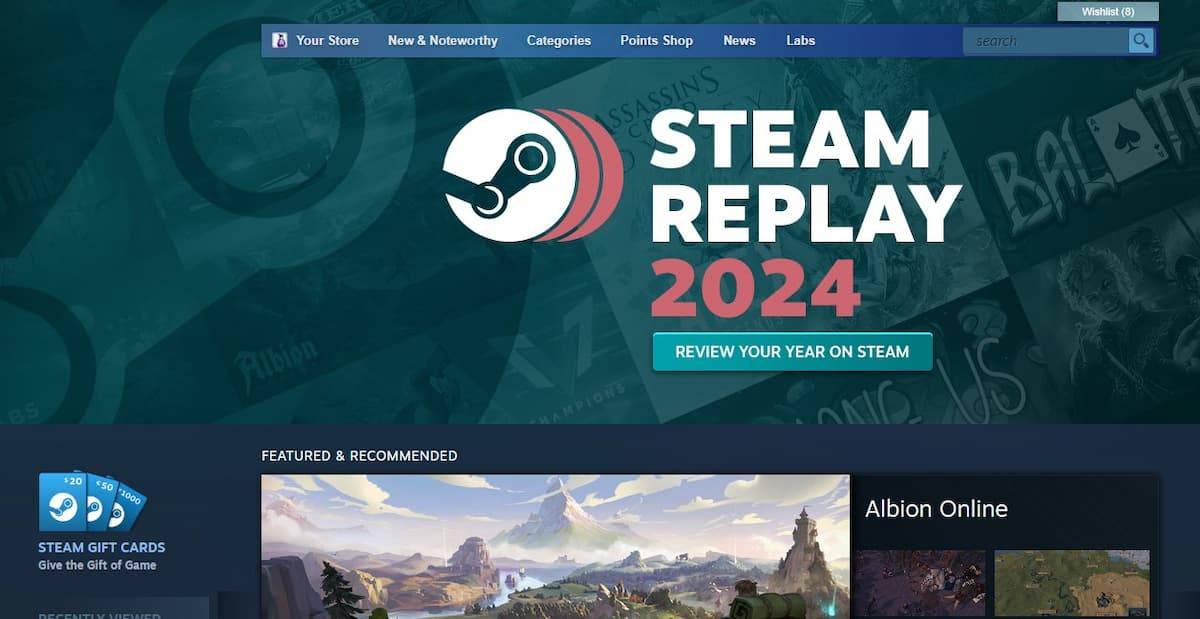
Steam Client: Upon launching the Steam client, a banner announcing Steam Replay 2024 should appear. Click this banner to access your stats. If you miss the banner, navigate to the "New and Noteworthy" section in the store's dropdown menu.
Web Browser: Alternatively, access your Steam Replay 2024 from any web browser:
- Visit Valve's Steam Replay 2024 website.
- Log in using your Steam account credentials.
Stats Revealed in Steam Replay 2024
Once logged in, explore a comprehensive overview of your 2024 gaming habits, including:
- Total games played
- Achievements unlocked
- Longest gaming streak
- Top three most-played games (with session details)
- Playtime breakdown (new, recent, and classic games)
- Genre playtime visualization (spider graph)
- New friends added
- Badges earned
- Detailed analysis of your top three games (including monthly playtime)
- Monthly playtime summary
- Overview of other games played throughout the year
That's all you need to know to access and enjoy your Steam Replay 2024! Want more year-end recaps? Learn how to check your Snapchat recap.
-
Lego Batman: Legacy of the Dark Knight Lego Batman: Legacy of the Dark Knight has been unveiled during Gamescom’s Opening Night Live, showcasing an expansive open-world Gotham City you can explore in the iconic Batmobile. The highly anticipated projeAuthor : Ava Mar 25,2026
-
 East Side Games Group is merging two wildly different universes in an exhilarating crossover. Trailer Park Boys: Greasy Money is joining forces with All Elite Wrestling: Rise to The Top. This special event begins on March 27th at 2:00 PM PT, deliveriAuthor : Sarah Mar 17,2026





















- Classic WoW vs. Turtle WoW: 6 Key Differences
- Ultimate Guide to Shinigami Progression in Hollow Era
- Mastering Two-Handed Weapons in Elden Ring: A Guide
- Roblox Simulator Codes: Unlock Exclusive Rewards!
- Wuthering Waves: Uncover the Secrets of Whisperwind Haven's Palette
- Top 25 Palworld Mods to Enhance Your Game